Latest / Story
What Goes in an Authorization Decision Letter, and What Do I Do With It?
You waited months for a decision, and then a short letter arrives. It may grant your authorization, deny it, or grant it with terms. Each outcome asks for different next steps.
Authorization to Operate (ATO) is the formal approval to run a system. The Risk Management Framework (RMF) sets the steps that lead to it. The framework is defined in NIST Special Publication 800-37 Revision 2.
Who writes the letter
The authorizing official writes the letter. The authorizing official (AO) is the senior leader who accepts the risk. The AO signs the letter after reviewing the package. The package includes the security plan, the assessment results, and the action plan.
The letter is not a form letter. It states a decision about your system only. It names the system, the boundary, and the decision date. It also names the term of the authorization.
The decision itself
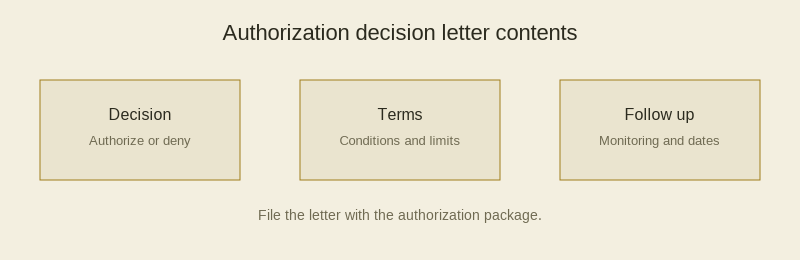
The letter states one of three outcomes. The first outcome is authorize. The system may operate as described in the package. The second outcome is authorize with conditions. The system may operate only if the terms are met. The third outcome is deny. The system may not operate in its current form.
Read the decision line first, then read the terms. Terms can limit what the system may do. A term can require a fix by a set date. A term can limit the data the system may hold. A term can require added monitoring for a set period.
Terms, conditions, and the action plan
Most letters list conditions in plain numbered points. Each condition should name an owner and a due date. If a condition lacks a date, ask the AO office for one. A condition with no date drifts, and drift becomes a finding later.
The letter also points to the Plan of Action and Milestones (POA&M). The POA&M lists each open weakness and its fix plan. Check that every condition in the letter appears in the POA&M. If one is missing, add it before you file the letter.
The letter may set a monitoring schedule. Continuous monitoring means regular reports to the AO. Reports cover control status, scan results, and open findings. The letter may set the report dates. Put those dates on your team calendar at once.
What to do the week you receive it
First, file the signed letter with the full package. Keep the letter, the plan, the assessment report, and the POA&M together. Second, brief the system owner and the staff named in the terms. Third, open a ticket for each condition, with its due date. Fourth, tell users about any limits the letter sets.
If the decision is deny, do not run the system for live work. Read the reasons in the letter line by line. Each reason maps to a weakness in the package. Fix the weaknesses, update the package, and ask what resubmission requires. A denial is a rework list, not a closed door.
When the term ends
The letter states how long the authorization lasts. Mark the end date and the renewal start date. Start renewal work early, while evidence is still fresh. An expired authorization leaves the system without approval to operate. Plan the renewal as part of the monitoring cycle, not as a rush at the end.
Sources
- NIST SP 800-37 Revision 2, National Institute of Standards and Technology.
- NIST SP 800-53 Revision 5, National Institute of Standards and Technology.
- Original diagram by PolicyCortex.
Next step
Want your authorization package tied to live evidence? See how PolicyCortex collects it from live systems.