Latest / Story
How Do I Close an Authorization Package After a Denied Decision?
Your system was denied authorization, and now the package sits open. The denial feels like the end, but the package still needs a close. The next steps are clear, and they start with the denial letter.
Risk Management Framework (RMF) is the process agencies use to authorize systems. NIST Special Publication 800-37 Revision 2 describes it. The Authorize step ends with a decision. The Authorizing Official (AO) grants it, grants it with conditions, or denies it. A denial is called a Denial of Authorization to Operate (DATO).
The AO records the decision in an authorization decision document. That document names each finding that led to the denial. It also names what must change before the system can be reviewed again.
What a denied decision means
A denied system cannot operate with government data. That is the rule in SP 800-37 Revision 2. The system stays down, or it runs only within limits the AO sets. Do not treat a denial as a pause you can wait out. It is a decision that needs action.
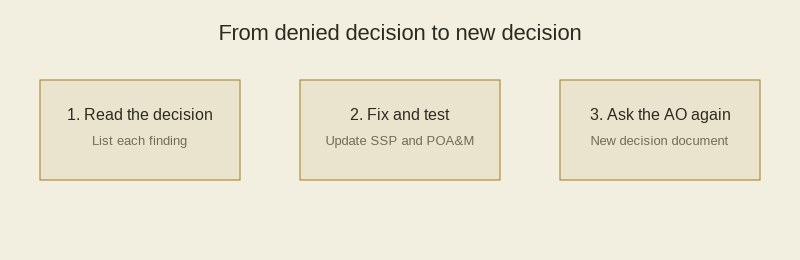
Read the decision document first. List every finding it names. Sort the list into two groups: fixes your team can make now, and fixes that need time or money. That sort sets your plan.
What to fix first
Fix the findings that block operation first. A failed control on data protection comes before a missing document. A flaw with a known fix comes before a flaw that needs a new tool. Work the list in that order, and record each fix with a date.
Update the Plan of Action and Milestones (POA&M) for each finding. Give each entry an owner and a due date. Close an entry only when the fix is in place and tested. A fix that is planned is not a fix that is done.
How to rebuild the package
Update the System Security Plan (SSP) to match the fixes. If a control changed, the SSP must say so. If a control moved to another team, the SSP must name that team. An SSP that still describes the old system will fail the next review.
Ask the assessor to test the fixes. The assessor checks each fix the same way the first assessment checked it: examine, interview, and test. Keep the test record for each fix. That record is the proof the AO will read.
How to ask for a new decision
Send the AO a short update when the fixes are done. Name each finding, the fix, and the test date. Attach the updated SSP, the updated POA&M, and the test records. Ask the AO to review the package again.
The AO may grant authorization, grant it with conditions, or deny it again. A second denial means the plan was not enough. Read the new decision document, and repeat the same steps.
What to do this week
Read the decision document and list each finding. Sort the list by what blocks operation first. Give each finding an owner and a due date. Then update the POA&M so the list is one document, not five.
Sources
- NIST SP 800-37 Revision 2, National Institute of Standards and Technology.
- NIST SP 800-53 Revision 5, National Institute of Standards and Technology.
- Original diagram by PolicyCortex.
Next step
Want authorization evidence that stays current between reviews? See how PolicyCortex collects it from live systems.